
A blank screen does not tell you what happened
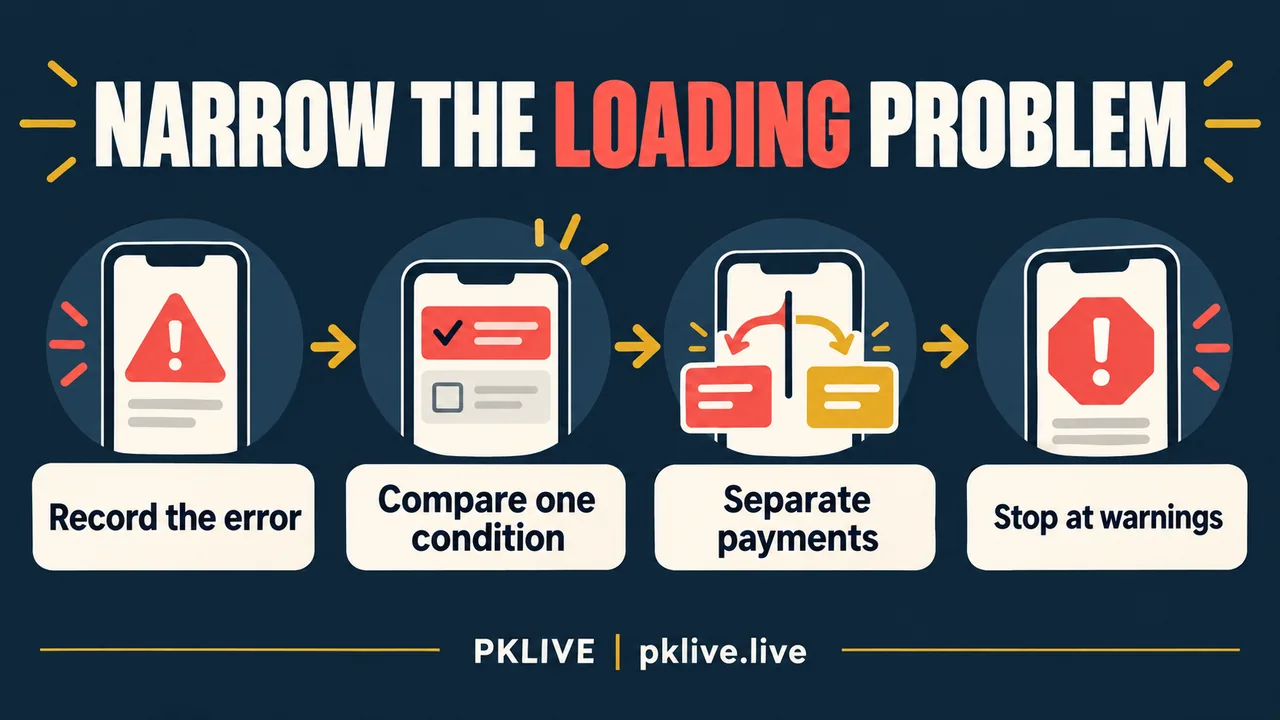
When PK LIVE will not load on your phone, save the address and visible error before changing anything. Then compare one harmless public page under one changed condition. Stop if you see a certificate warning, a restriction notice, or a request to install an unknown file. Do not bypass those messages to reach the page.
These are general diagnostic checks, not a verified PK LIVE service procedure or a report of testing. A blank screen cannot confirm an outage or account suspension. If loading failed after a payment was submitted, check the transaction record before any retry; a page failure does not show whether money moved.
By PKLIVE. Publication date: 2026-10-28. Sources checked October 17, 2026. For adults legally eligible to participate; this article does not establish account or regional eligibility.
Name the failure in terms another person can inspect
‘Not working’ can mean that the browser cannot reach an address, a page opens without content, or one destination fails after a link is followed. Record what is visible, including whether the address changed. Treat each address as a separate observation rather than assuming one brand label means one system.
| Observation | What it establishes | What it does not establish |
|---|---|---|
| Browser displays an error | That request failed in that context | The service is down for everyone. |
| Page frame opens but content stays blank | Some content appeared; completion is unclear | Your account is blocked. |
| Public article opens; linked destination fails | Two addresses behave differently | They share an operator or support team. |
| Loading fails after submission | The result page did not appear | The payment or account action failed. |
Make a comparison that can actually narrow the question
Start with the current device and browser. Note whether an unrelated public page opens. If it also fails, investigate the connection before treating the problem as specific to one service. A working page elsewhere is useful context, but it does not rule out a destination-specific network problem.
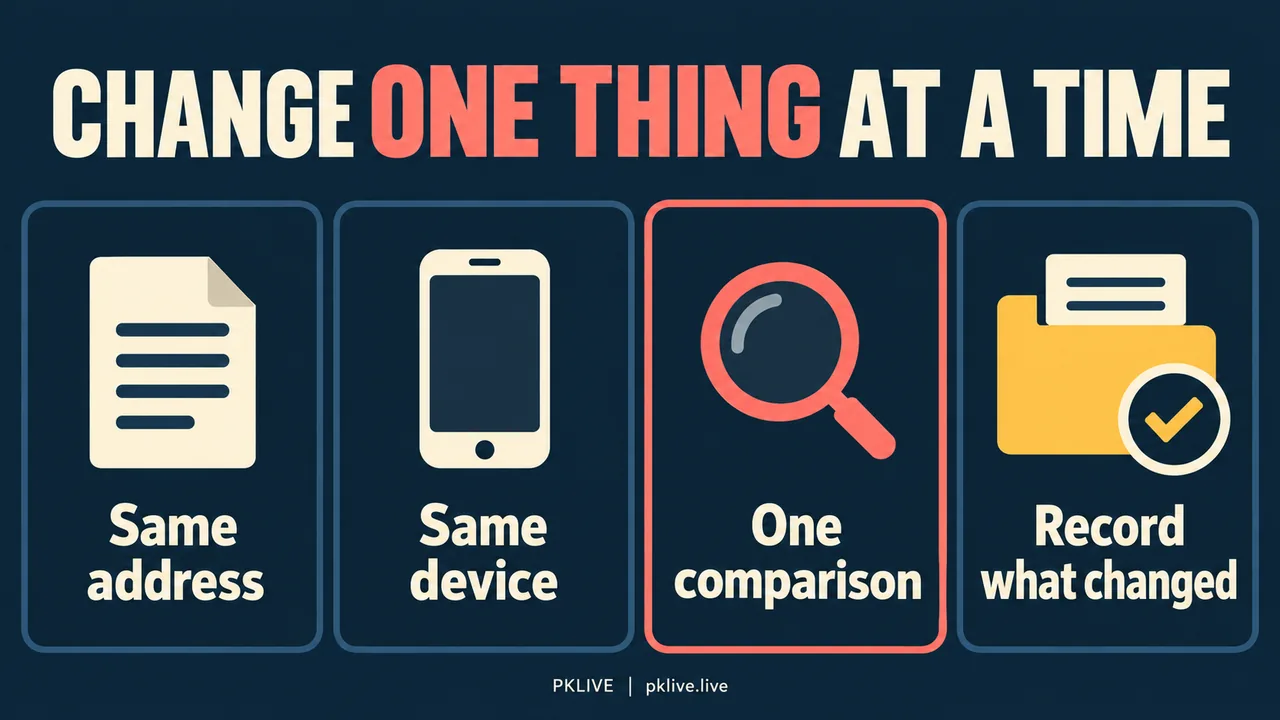
If it is appropriate and does not evade a restriction, compare the same harmless public address using your own trusted connection or another supported browser. Change one condition at a time. Do not log in on someone else’s phone or repeatedly submit a form merely to see whether the spinner disappears.
Hypothetical example: a public article opens over a reader’s home Wi-Fi, but a linked destination stays blank. Switching to personal mobile data produces the same result at that destination. This narrows the observation: the destination failed under both connections. It does not prove maintenance, a nationwide block or a server fault. The next useful report contains the address and both results, not a guessed diagnosis.
A comparison is complete once it gives a clear observation or reaches a warning. There is no benefit in cycling through many connections after the same result. Never use a VPN, proxy or alternate account to evade a location rule, exclusion or other access restriction.
Before clearing site data, consider what you could lose
Restarting a browser and deleting stored site data are different actions. Site-data removal may end a session or remove local preferences. Preserve the error wording and any needed records first, and make sure you still control the account’s recovery channel before taking an action that could sign you out.
Do not clear every browser’s data or reset the phone as an opening move. A broad reset changes many conditions at once and can remove the evidence needed to describe the original problem. If you decide to remove site-specific data, use the browser’s current official instructions for your device. This article provides no verified Chrome menu sequence.
An outdated browser is worth checking through its normal trusted update route. A banner on a failing page is not a safe source for a replacement browser or an app installer. Installing an unknown APK adds a separate security decision and does not establish why the original page failed.
Keep a short comparison log
Use a log only for observations you actually made. Empty cells are better than invented results. This example layout is an editorial reporting tool, not a record of tests performed by this site.
| Condition to record | Example of precise wording | Avoid concluding |
|---|---|---|
| Address and time zone | Public article URL; time recorded in PH time | The entire platform failed. |
| Device and browser | Phone model and browser version, if known | All mobile devices are affected. |
| One changed condition | Same public URL on personal data: same error | The network cannot be involved. |
| Action preceding failure | Blank page appeared after a submission | Nothing was submitted successfully. |
Send the issue to the owner of the failing page
The pklive.live Contact page accepts publishing-site issues; it cannot inspect a private gaming account. If its public article is broken, a report can identify that article, the browser and the visible problem. If the failure concerns an external service, use a verified route for that service. Do not send private account screenshots to the publisher.
If the page loads and the problem becomes a rejected password or code, stop treating it as loading trouble and switch to the account-access question. If money is missing, preserve the payment reference and resolve that transaction separately. Repeated browser changes will not establish whether a transfer arrived.
No public error in these examples confirms current PK LIVE availability. The aim is a narrower, accurate description: which page failed, under which condition, and whether a sensitive action happened just before it. An unresolved description is still more useful than an unsupported fix.
Sources, method and limits
The comparisons here are diagnostic suggestions, not results from a device test or confirmation of an outage. No particular app feature, access entitlement or browser-specific repair is established. Record what changes and stop at security warnings.
This article was prepared with AI assistance and reviewed for source consistency. Examples explain decisions; they are not accounts of a deposit, withdrawal or game test.
Related reading
- Casino Privacy and Data Safety Checklist Philippines: What to Share and What to Question
- Casino Customer Support Escalation Guide Philippines: What to Send, Save, and Avoid
- PK LIVE Philippines Guide: How to Check Games, Payments, and Risk
- Responsible Gaming
The button below opens a separate partner service. Its account, payment and privacy terms apply. Read our Affiliate Disclosure before leaving this publishing site.